
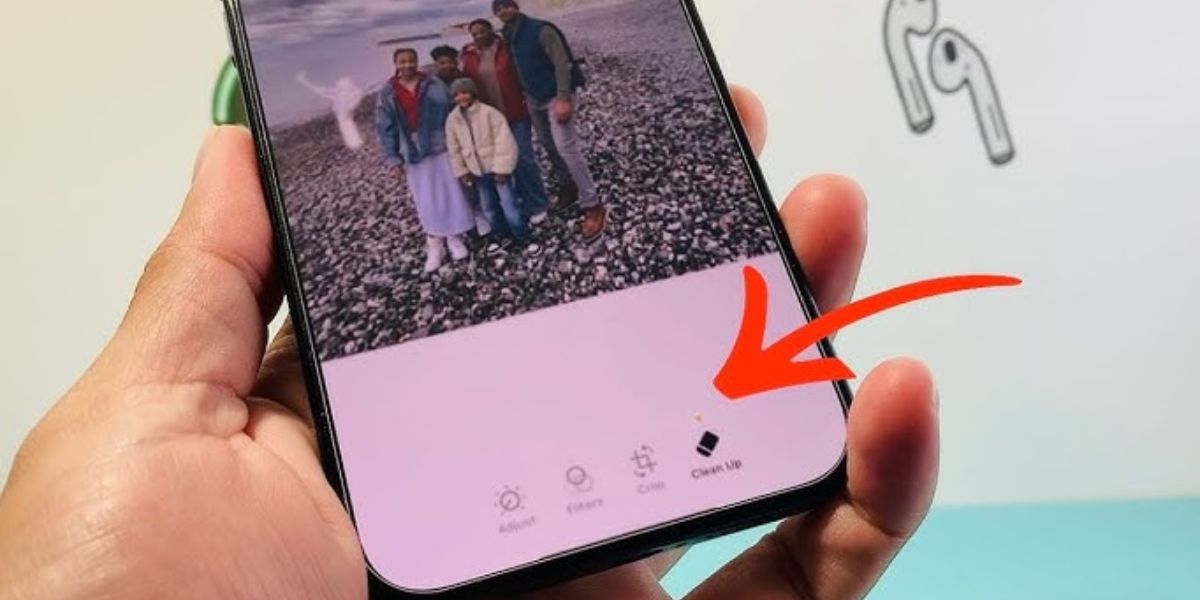
You updated to iOS 18 but can’t find the new ‘Clean Up’ photo editing tool. This article explains why the ‘Clean Up’ feature is missing from most iPhones and what hardware and software requirements you need to meet to access it.
Why You Can’t Find the ‘Clean Up’ Feature
The ‘Clean Up’ feature is part of Apple Intelligence, an update that has not yet been fully released to all devices. Simply installing iOS 18 does not automatically grant access to this new tool.
Many users report seeing discussions about ‘Clean Up’ but cannot locate it in their Photos app. This is because Apple Intelligence, and therefore the ‘Clean Up’ feature, has specific prerequisites that only a limited number of recent iPhone models will meet.
What You’ll Need
To use the ‘Clean Up’ feature, you must have a qualifying iPhone model. Specifically, it is compatible only with the iPhone 15 Pro, iPhone 15 Pro Max, and all iPhone 16 models.
These devices are required because Apple Intelligence relies on a powerful chip. The feature needs an A17 Pro chip or later. In addition to the hardware, you will need specific operating system versions, supported languages, and at least 4 GB of storage space.
Verify Your iPhone Model and Chip
First, check your iPhone’s specifications to see if it meets the hardware requirements. Go to Settings, tap General, and select About.
Under the ‘About’ screen, find your Model Name and Model Number. This confirms the presence of the necessary A17 Pro chip or newer.
Confirm iOS 18 is Fully Updated
Ensure your iPhone is running the latest available version of iOS 18. While installing iOS 18 is a prerequisite, the ‘Clean Up’ tool is expected to roll out gradually with future Apple Intelligence updates.
New features within Apple Intelligence are often released in phases. Continue to check for software updates in Settings > General > Software Update to receive the ‘Clean Up’ feature once it becomes available for your device.
Check Other Apple Intelligence Requirements
Beyond the hardware model and chip, Apple Intelligence has other settings that must be configured correctly for features like ‘Clean Up’ to function. These include your device language and Siri language being set to a supported language.
Additionally, verify you have enough free storage space, which requires at least 4 GB. Even if your iPhone meets the hardware criteria, these software and configuration requirements must also be met for the feature to appear.
Tips & Troubleshooting
You may have seen early YouTube videos or online content demonstrating the ‘Clean Up’ feature. Some of these might have been created before the feature’s limitations were fully understood or before its official release, leading to confusion.
Be cautious of any guides or “fixes” claiming to enable ‘Clean Up’ on unsupported iPhones. These methods are likely outdated or misleading, as the feature’s availability is strictly tied to specific hardware and software requirements set by Apple.
When Will ‘Clean Up’ Be Widely Available?
The ‘Clean Up’ feature is exclusively part of Apple Intelligence, an ongoing initiative still being rolled out. Currently, its availability is limited to specific high-end iPhone models.
Apple has not provided a definitive date for broader availability. Monitor official Apple announcements for news on when Apple Intelligence features, including ‘Clean Up’, will extend to more devices.
Frequently Asked Questions
Why can’t I find the ‘Clean Up’ feature after updating to iOS 18?
The ‘Clean Up’ feature is part of the Apple Intelligence update and requires specific hardware, such as the iPhone 15 Pro or iPhone 16 series, not just iOS 18.
Is my iPhone 14 Pro Max compatible with the ‘Clean Up’ feature?
No, the iPhone 14 Pro Max is not compatible. It requires an iPhone 15 Pro, iPhone 15 Pro Max, or any iPhone 16 model, equipped with an A17 Pro chip or later.
What are the hardware requirements for Apple Intelligence’s ‘Clean Up’ tool?
The hardware requirements are an iPhone 15 Pro, iPhone 15 Pro Max, or any iPhone 16 model, which includes the A17 Pro chip or a newer processor.
When will the ‘Clean Up’ feature be available for all iPhones?
Apple Intelligence, including the ‘Clean Up’ feature, is currently limited to specific high-end models. A release date for wider availability has not been announced.
Are there any workarounds to enable ‘Clean Up’ on older iPhones?
No, there are no official workarounds. The feature’s availability is strictly dependent on the device’s hardware and the current rollout of Apple Intelligence.
The post iPhone ‘Clean Up’ Missing? Check Apple Intelligence Requirements appeared first on trendblog.net.